# Reset password

## Reset password

Have you forgotten your password? We can assist you in resetting your password using the email address you provided when you signed up.

<div data-full-width="false"><figure><img src="https://2156138890-files.gitbook.io/~/files/v0/b/gitbook-x-prod.appspot.com/o/spaces%2FxuWifO3Fqyw3Tw3Tjlll%2Fuploads%2FGB8rX5XxOj8KrAuIvU2L%2F%EB%B9%84%EB%B0%80%EB%B2%88%ED%98%B8%EC%B0%BE%EA%B8%B01_%EC%98%81%EB%AC%B8.png?alt=media&#x26;token=030e284b-1afb-4d9b-8061-9f685c3c1747" alt=""><figcaption></figcaption></figure></div>

1. Click the <mark style="color:blue;">`Forgot your password`</mark> button on the login page.

<figure><img src="https://2156138890-files.gitbook.io/~/files/v0/b/gitbook-x-prod.appspot.com/o/spaces%2FxuWifO3Fqyw3Tw3Tjlll%2Fuploads%2FqZKp5RmzvWe18b0t3K14%2F%EB%B9%84%EB%B0%80%EB%B2%88%ED%98%B8%EC%B0%BE%EA%B8%B02_%EC%98%81%EB%AC%B8.png?alt=media&#x26;token=62504214-2d67-47e4-ac98-71e259d61fd4" alt=""><figcaption></figcaption></figure>

2. Enter your email address to receive instructions on how to reset your password and click the <mark style="color:blue;">`Send reset email`</mark>  button.

<figure><img src="https://2156138890-files.gitbook.io/~/files/v0/b/gitbook-x-prod.appspot.com/o/spaces%2FxuWifO3Fqyw3Tw3Tjlll%2Fuploads%2FZjQEm3Q3RGZkboF3iinL%2F%EB%B9%84%EB%B0%80%EB%B2%88%ED%98%B8%EC%B0%BE%EA%B8%B03_%EC%98%81%EB%AC%B8.png?alt=media&#x26;token=12d21f5b-bb73-416f-86d0-e0688e700fee" alt=""><figcaption></figcaption></figure>

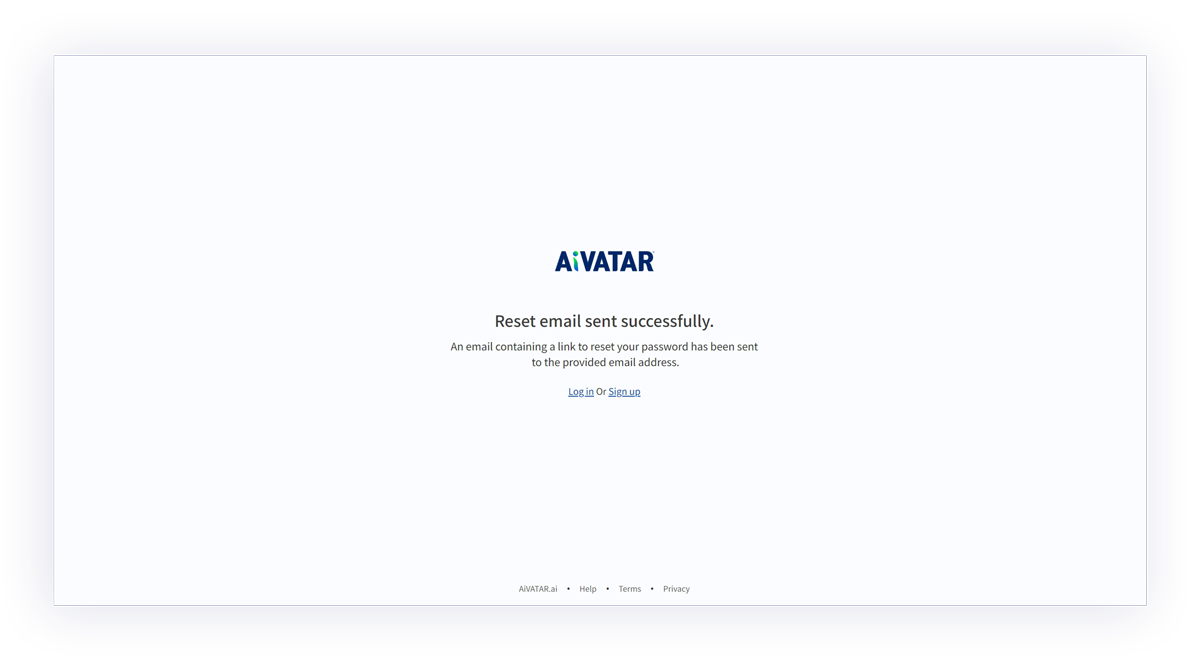
3. An email will be sent to the email address you provided with a password reset link.

<figure><img src="https://content.gitbook.com/content/xuWifO3Fqyw3Tw3Tjlll/blobs/nKzTzE3NkEuS31LBjYCN/%EB%B9%84%EB%B0%80%EB%B2%88%ED%98%B8%EC%B0%BE%EA%B8%B03.png" alt=""><figcaption></figcaption></figure>

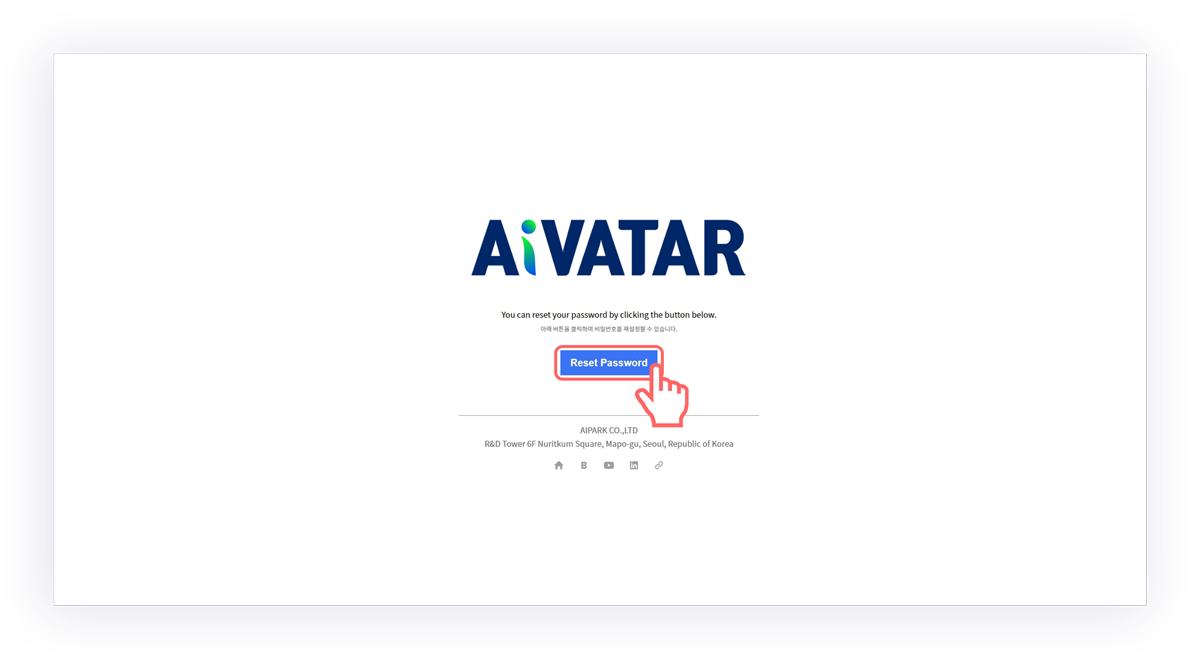
4. Click the <mark style="color:blue;">`Reset Password`</mark>  button when checking your mail.

<figure><img src="https://2156138890-files.gitbook.io/~/files/v0/b/gitbook-x-prod.appspot.com/o/spaces%2FxuWifO3Fqyw3Tw3Tjlll%2Fuploads%2F6tqKXGAGj1oKZro9LLKL%2F%EB%B9%84%EB%B0%80%EB%B2%88%ED%98%B8%EC%B0%BE%EA%B8%B04_%EC%98%81%EB%AC%B8.png?alt=media&#x26;token=92bac758-28be-499a-a186-347976e8716e" alt=""><figcaption></figcaption></figure>

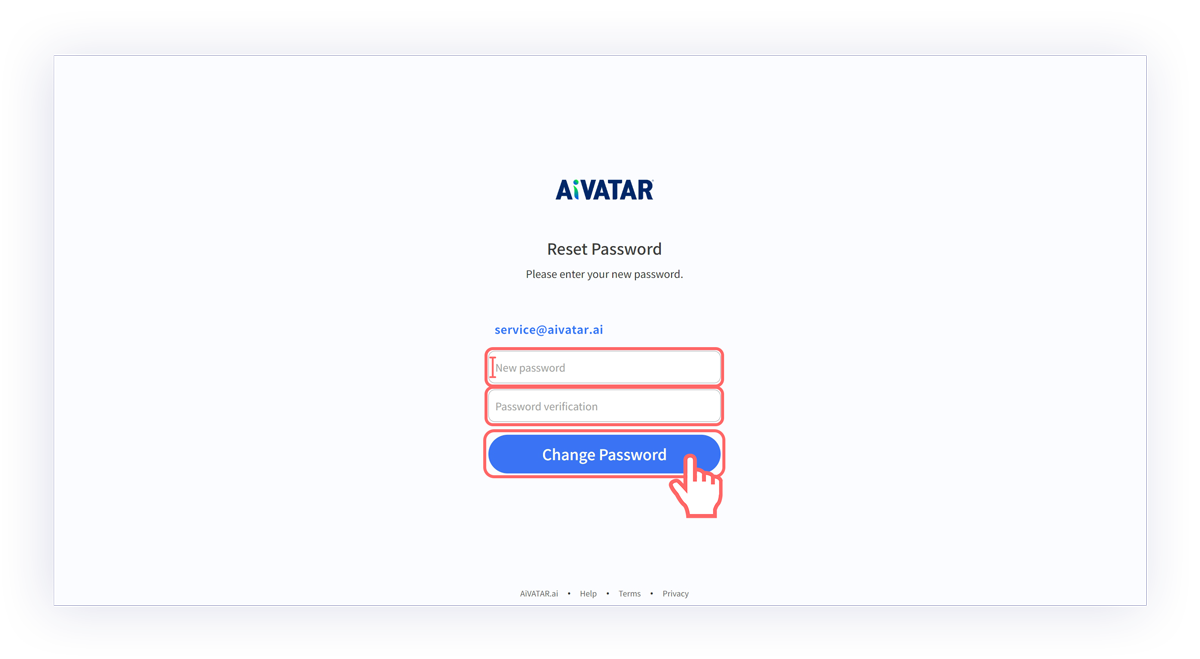
5. Please enter the password you wish to reset and click the <mark style="color:blue;">`Change Password`</mark> button.
6. Your password has been reset. Click the <mark style="color:blue;">`Login`</mark> button to log in again.